Examples
A few programs are provided with blessed to help interactively test the various API features, but also serve as examples of using blessed to develop applications.
These examples are not distributed with the package – they are only available in the github repository. You can retrieve them by cloning the repository, or simply downloading the “raw” file link.

bounce.py
https://github.com/jquast/blessed/blob/master/bin/bounce.py
This is a very brief, basic primitive non-interactive version of a “classic tennis” video game. It demonstrates basic timed refresh of a bouncing terminal cell.
cellestial.py
https://github.com/jquast/blessed/blob/master/bin/cellestial.py
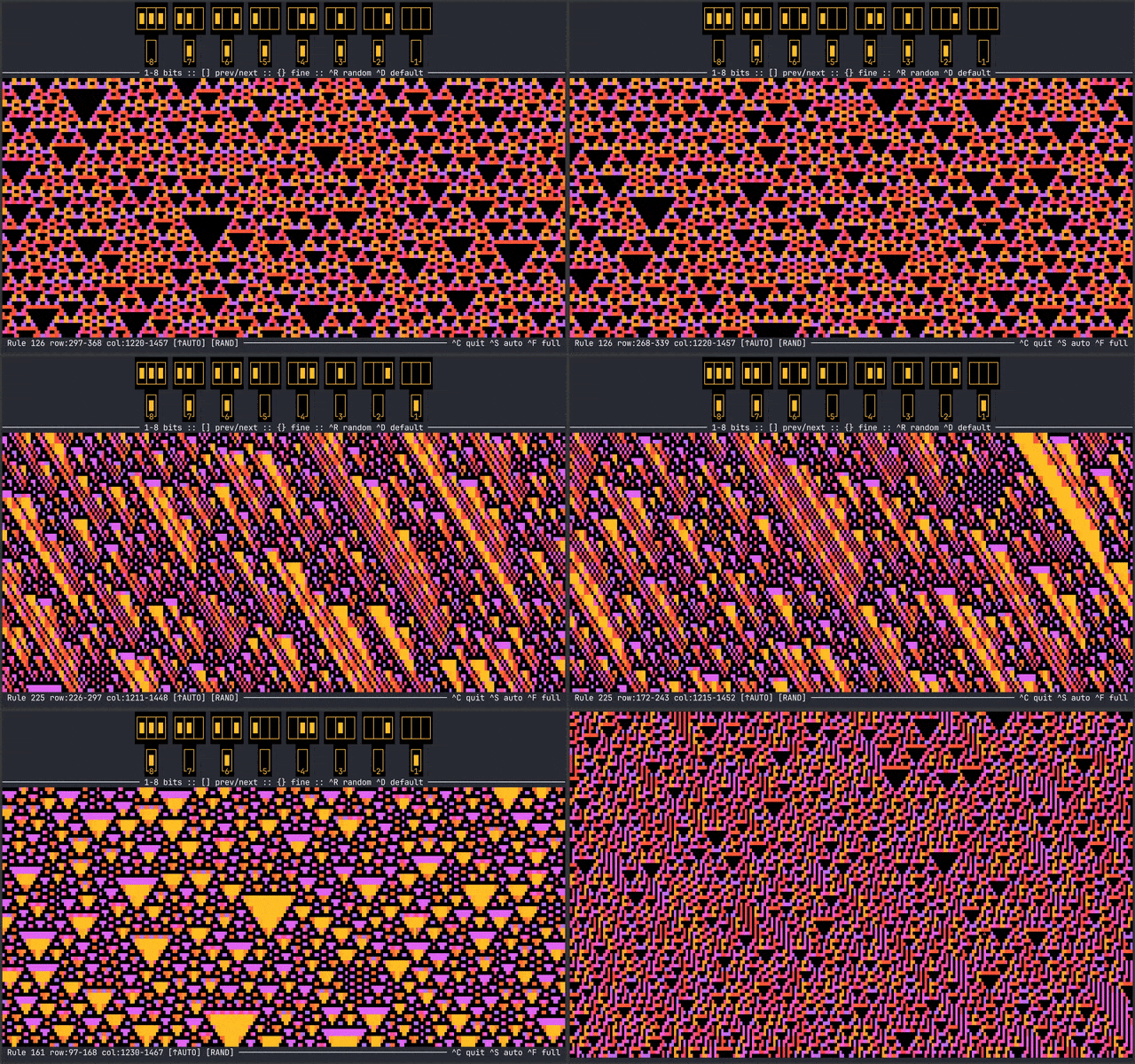
This is an Elementary Cellular Automata browser, of the visualizations made popular by Stephen Wolfram. A popular “rule 30” is first displayed with random initial values and can be manipulated by hotkeys, or automatic viewing with arguments,
bin/cellestial.py --autoscroll --fullscreen
cnn.py
https://github.com/jquast/blessed/blob/master/bin/cnn.py
This program uses 3rd-party BeautifulSoup and requests library to fetch the cnn website and display
news article titles using the link() method, so that they may be clicked.
detect-multibyte.py
https://github.com/jquast/blessed/blob/master/bin/detect-multibyte.py
This program also demonstrates how the get_location() method
can be used to reliably test whether the terminal emulator supports
utf-8 or other multibyte encoding, by rendering multibyte characters
and measuring the change in cursor location.
editor.py
https://github.com/jquast/blessed/blob/master/bin/editor.py
This program demonstrates using the directional keys and noecho input mode. It acts as a (very dumb) fullscreen editor, with support for saving a file, as well as including a rudimentary line-editor.
keymatrix.py
https://github.com/jquast/blessed/blob/master/bin/keymatrix.py
This program displays a special REPL for using inkey() and displaying
the returned Keystroke events, their names, events, and values.
This also provides an interface for toggling special modes, such as any of the supported Kitty Keyboard Protocol Keyboard Protocols.
on_resize.py
https://github.com/jquast/blessed/blob/master/bin/on_resize.py
This program uses in-band resize notifications when available, with a SIGWINCH signal handler as a fallback on Unix. On Windows, native console resize events are used automatically.
This demonstrates how a program can react to screen resize events cross-platform.
plasma.py
https://github.com/jquast/blessed/blob/master/bin/plasma.py
This demonstrates using only on_color_rgb() and the built-in colorsys
module to quickly display all of the colors of a rainbow in a classic demoscene plasma effect
progress_bar.py
https://github.com/jquast/blessed/blob/master/bin/progress_bar.py
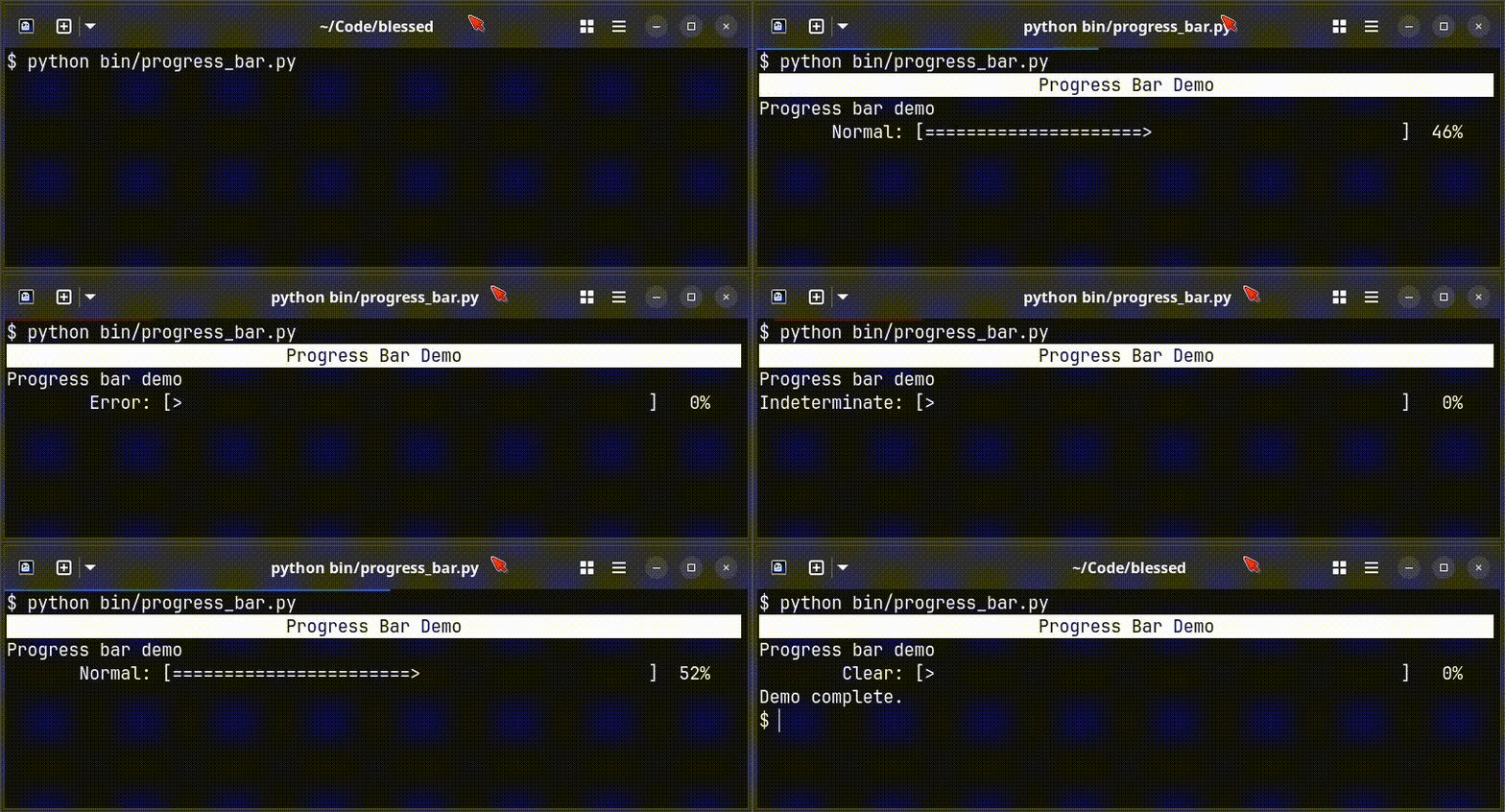
This program demonstrates a simple ascii progress bar along with the OSC 9;4 progress bar
notification sequence using progress_bar().
resize.py
https://github.com/jquast/blessed/blob/master/bin/resize.py
This program demonstrates the get_location() method,
behaving similar to resize(1)
: set environment and terminal settings to current window size.
The window size is determined by eliciting an answerback
sequence from the connecting terminal emulator.
tprint.py
https://github.com/jquast/blessed/blob/master/bin/tprint.py
This program demonstrates how users may customize FormattingString styles. Accepting a string style, such as “bold” or “bright_red” as the first argument, all subsequent arguments are displayed by the given style. This shows how a program could provide user-customizable compound formatting names to configure a program’s styling.
worms.py
https://github.com/jquast/blessed/blob/master/bin/worms.py
This program demonstrates how an interactive game could be made with blessed. It is similar to NIBBLES.BAS or “snake” of early mobile platforms.
x11_colorpicker.py
https://github.com/jquast/blessed/blob/master/bin/x11_colorpicker.py
This program shows all of the X11 colors, demonstrates a basic keyboard-interactive program and color selection, but is also a useful utility to pick colors!
display-modes.py
https://github.com/jquast/blessed/blob/master/bin/display-modes.py
Detect and report all known DEC Private Modes supported by the Terminal and display a report.
display-unicode.py
https://github.com/jquast/blessed/blob/master/bin/display-unicode.py
Basic Unicode detection support, for Wide characters, Emojis with ZWJ, Emojis with VS-16, and Ambiguous Width as Wide or Narrow by writing effects to the screen and measuring the cursor position.
strip.py
https://github.com/jquast/blessed/blob/master/bin/strip.py
This wrapper of the strip_seqs() method reads text from standard
input, “strips” away all known output sequences and writes the result to stdout.
mouse_paint.py
https://github.com/jquast/blessed/blob/master/bin/mouse_paint.py
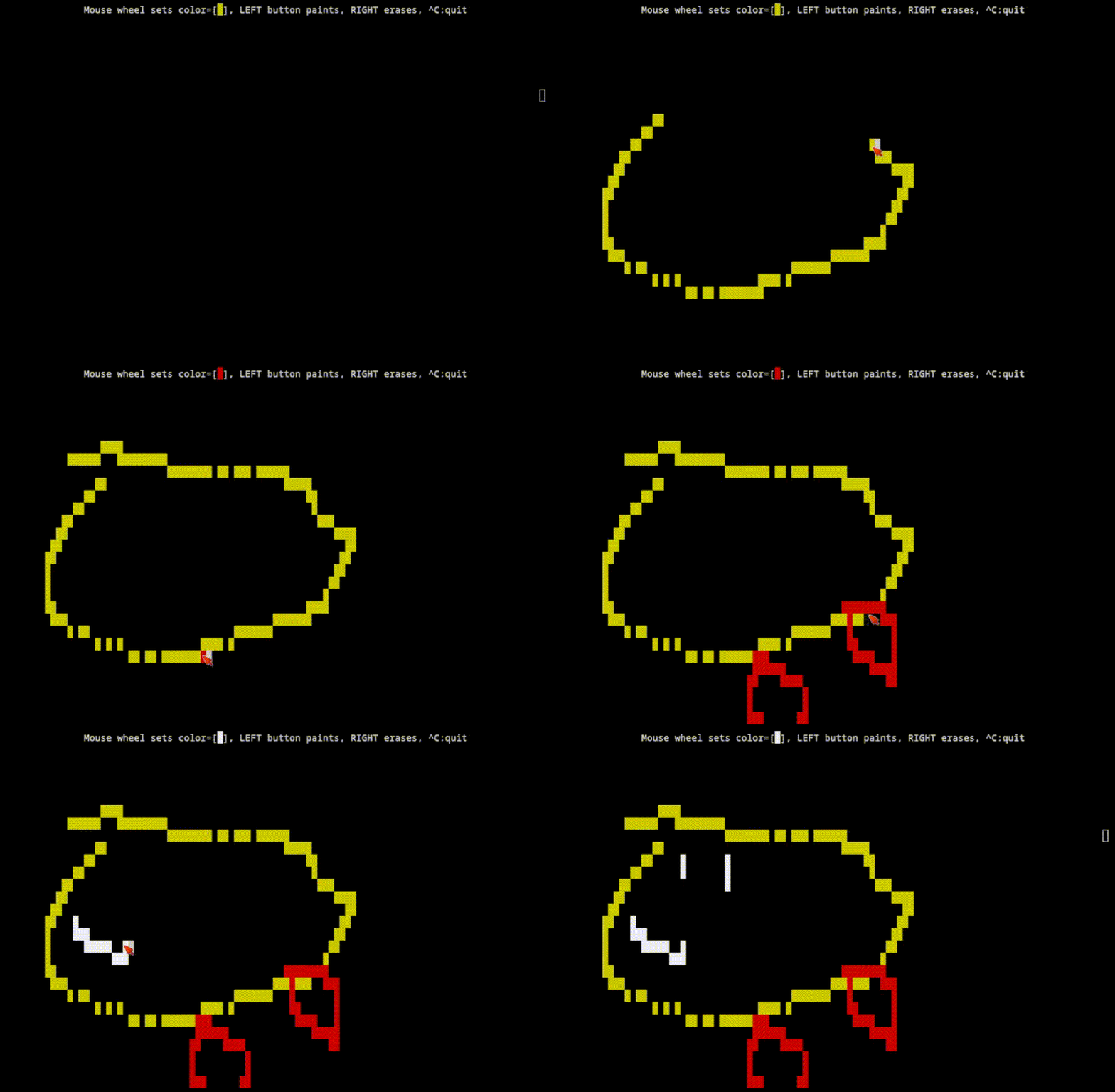
This is a basic “paint” program using Mouse Input with the report_motion feature.
scroll_region.py
https://github.com/jquast/blessed/blob/master/bin/scroll_region.py
This program demonstrates the scroll_region() context manager to create a
scrollable area with a fixed header and status bar.
text_sizing_protocol.py
https://github.com/jquast/blessed/blob/master/bin/text_sizing_protocol.py
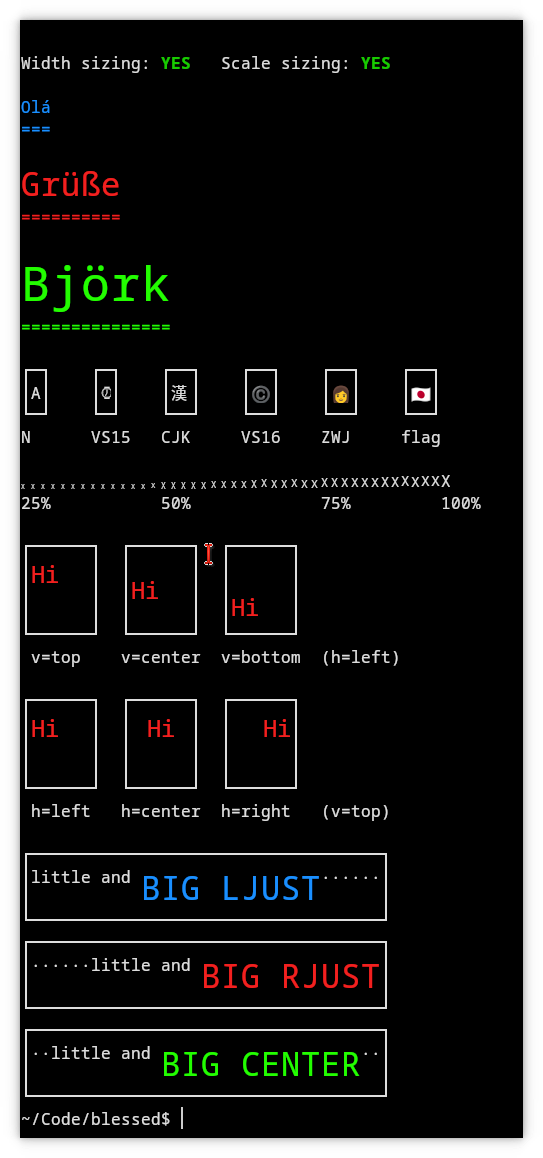
This program demonstrates the various uses of text_sized(), the OSC 66
kitty text sizing protocol.
scroller.py
https://github.com/jquast/blessed/blob/master/bin/scroller.py
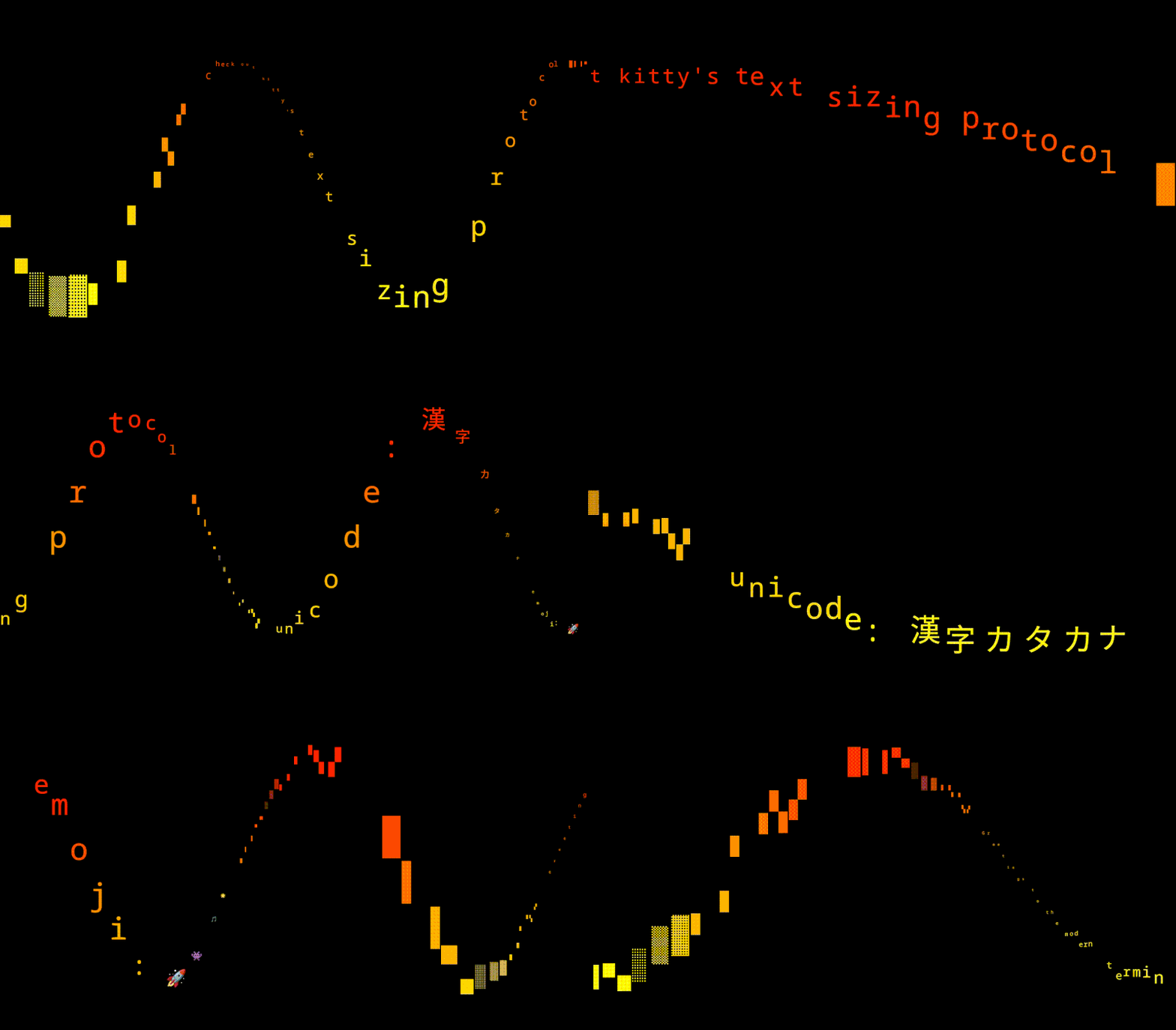
A classic sine-wave “demoscene” text scroller effect that uses text_sized(), the
OSC 66 kitty text sizing protocol.